Compatibility guide
How to Find Your Printer Cartridge Number
The cartridge number is the most important detail when buying replacement ink or toner. Printer names help, but cartridge numbers are usually the cleanest way to avoid wrong-color, wrong-yield, wrong-region, or wrong-generation supplies.
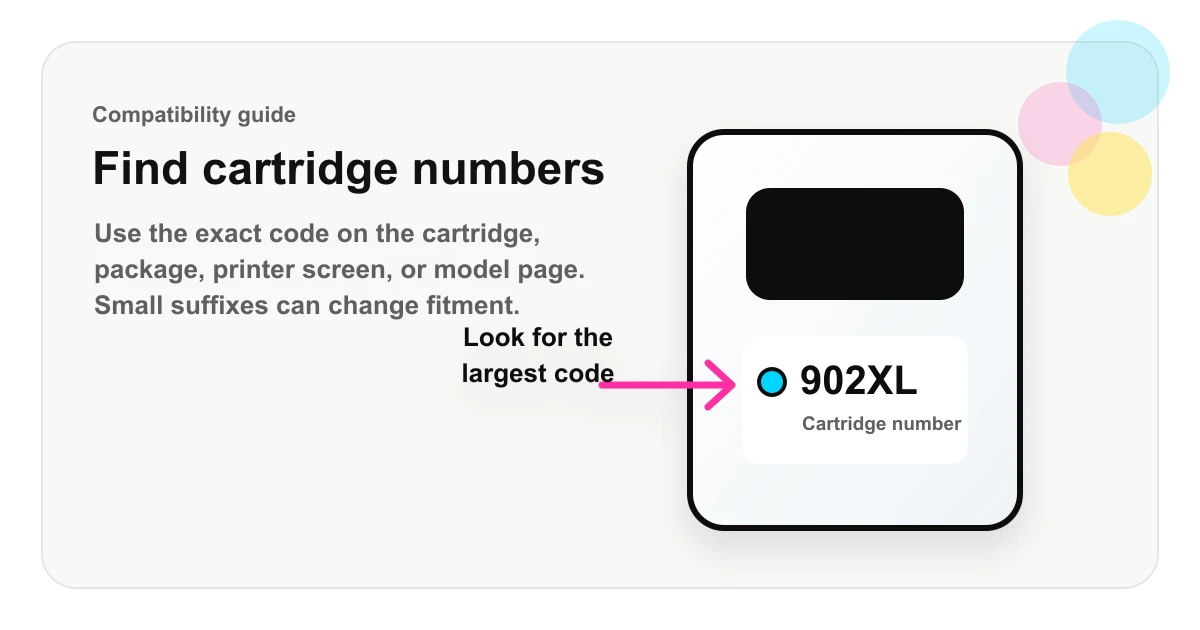
The label on the cartridge or toner itself is usually the clearest source.
The printer screen, app, or software may show installed supply details.
Use the exact printer model page when the old cartridge is missing.
Quick method
Open the printer, remove the current cartridge if it is safe to do so, and look for the largest printed code on the cartridge label. Common examples look like HP 902XL, Brother TN760, Canon PG-245XL, Epson 802XL, or Lexmark 60F1H00. Write down the full code, including letters before and after the number.
If you cannot remove the cartridge, check the printer’s supply screen, the original cartridge box, the printer manual, or an exact printer-model page. Choose your printer, then review the compatible cartridge families and product pages.
Important: do not stop at the brand name. “HP ink,” “Brother toner,” or “Canon PIXMA cartridge” is too broad. The useful buying signal is the cartridge family and suffix, such as 910XL, TN760, PG-245XL, or 802XL.
Find the number on the cartridge
Ink cartridges usually have a sticker or molded label showing the cartridge number, color, and sometimes a regional or yield marker. Toner cartridges may show the number on the top label, side label, handle, or packaging insert. Drum units and toner cartridges can look similar, so check whether the label says toner, drum, imaging unit, maintenance box, or another supply type.
Do not rely only on color or shape. Two cartridges can look nearly identical but use different chips, yields, or printer families. The printed cartridge code is the safer signal.
Use the printer screen or software
Many printers show supply information in the control panel, printer software, web admin page, or mobile app. Look for menus labeled supplies, cartridge information, ink levels, toner levels, maintenance, consumables, or printer status.
This method is helpful when the cartridge label is worn or when the printer is in a shared office where removing supplies is inconvenient. Still, compare the displayed number with the cartridge or manual if possible.
Use the exact printer model
If you do not know the cartridge number, start with the exact printer model. The full model name is usually on the front panel, top panel, rear label, inside the cartridge door, printer settings screen, or original box.
Exact model matters. A model suffix such as DW, DN, CDW, FDW, XL, e, or Pro can describe wireless features, duplexing, region, generation, or bundle differences. Similar printer names may use different cartridges or different yields.
Check the box, starter cartridge, or manual
The printer box and setup guide often list starter cartridge numbers. Be careful with starter cartridges because they may have lower yield than standard replacement cartridges. A starter cartridge number can still point you toward the correct family, but you should compare the replacement listing before checkout.
Manuals may list multiple options, such as standard yield, high yield, extra high yield, color set, photo black, matte black, drum unit, or maintenance box. Make sure the product type matches what you need.
Replacement OEM numbers and SKUs
Retail listings often use phrases such as “replaces OEM,” “replacement for,” or “compatible with.” These replacement numbers are important because they connect a compatible product to the cartridge family it is intended to replace.
A retailer SKU is not always the same as the cartridge number. A SKU may include seller-specific prefixes, pack-size codes, or internal inventory labels. When in doubt, prioritize the replacement OEM number and compatible printer models.
Common cartridge-number mistakes
- Buying by printer brand only instead of cartridge number.
- Mixing up standard yield and high yield.
- Buying toner when the printer needs a drum unit, or buying a drum unit when it needs toner.
- Ignoring color labels such as photo black, matte black, cyan, light cyan, or tri-color.
- Missing regional or suffix differences in cartridge numbers.
- Assuming a similar-looking printer model uses the same cartridge.
Before you buy
Confirm the exact printer model, cartridge number, replacement OEM number, color, yield, and pack size. Then check the retailer’s compatibility list, return policy, shipping terms, and warranty language. Keep the packaging until the cartridge is accepted by the printer.
FAQ
Where is the cartridge number on an ink cartridge?
It is usually printed on the cartridge label, the front sticker, the top surface, or near the color indicator. It may also appear on the retail box or printer supply screen.
Can I buy ink by printer model instead of cartridge number?
Yes, but you should still confirm the cartridge number before checkout because similar printer models can use different supplies.
Is the SKU the same as the cartridge number?
Not always. A SKU identifies a seller or product listing. A cartridge number or replacement OEM number identifies the supply family the cartridge is meant to replace.